Craftsman: Building Craft
- 3.5
- Rating
- 100.00M
- Installs
- Free
- Price

 Analysis by App-foxy
I approached Craftsman: Building Craft expecting a straightforward building game, and that is exactly where its appeal lies. It puts me in the role of a builder and lets me turn a blank landscape into houses, castles, and other personal projects. The experience is less about winning a match and more about deciding what to make, how to organize it, and whether I have the patience to improve it block by block.
My overall view is positive, with an important qualification: this is best enjoyed as a relaxed creative sandbox rather than as a tightly guided simulation. The freedom is the main attraction, but that freedom also means I have to supply my own goals. When I want a quiet building session, it works well. When I want a campaign with clear objectives, deep progression, or a strong narrative, it feels much less convincing.
What the building experience feels like in practice
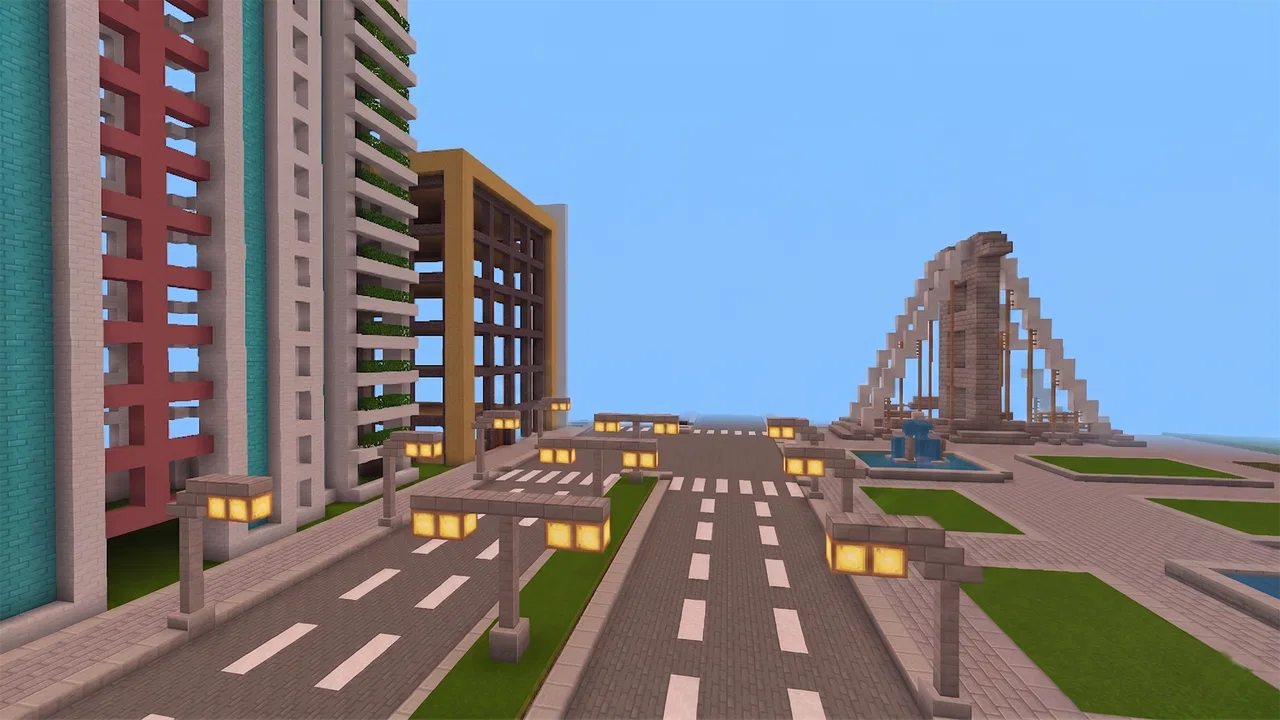
The core loop is easy to understand. I choose a place to begin, gather the materials available to me, and start shaping a structure. A small shelter can become a larger home, and a simple idea can grow into a castle if I keep refining it. The pleasure comes from seeing a plan become physical: walls define rooms, openings change the appearance of a façade, and details make a construction feel more deliberate.
You May Also Like

 Pandora - Music & Podcasts
Pandora’s Music Is Easy to Start, but Harder to Recover
Pandora’s strength is its low-effort path from a seed to a station. Its weak spot is how much confidence it asks you to place in connection, setup, and quiet recovery.

 8 Ball Pool
 Is Built on Rivalries, Rematches, and Routine
A close look at the rivalries, rematches, shared routines, and unanswered safety questions that turn a quick pool match into a persistent mobile community.

 Samsung Music
’s Quiet Strength Is Playing What You Already Own
Its reach comes less from spectacle than from dependable access to a personal library. That simplicity is both the app’s strongest retention engine and its ceiling.

 AccuWeather: Weather Radar
AccuWeather Review: A Quick, Clear Forecast for Everyday Decisions
For everyday plans, the best forecast is the one you can understand quickly. AccuWeather makes rain timing, radar, and local conditions easy to act on, with a few trade-offs.

 Hill Climb Racing
Why Hill Climb Racing Still Turns Crashes Into One More Run
A tiny car, a bumpy hill and one more upgrade: Hill Climb Racing keeps resurfacing because its simple chaos makes every near-miss feel personal.

 AliExpress - Shopping App
AliExpress Makes Global Shopping Feel Personal, but Shoppers Bear the Risk
AliExpress turns a global marketplace into a pocket-sized discovery engine. Its reach is useful, its shopping loop compelling, and its trade-offs easy to miss.
More From Our News Desk
View All News


That simplicity is useful on a phone because I do not need to learn a complicated ruleset before starting. I can open the game, experiment for a few minutes, and return later with a clearer idea. It is also suitable for players who enjoy creative games but do not want the pressure of competition. I can spend time arranging a building instead of worrying about leaderboards, timed rounds, or defeating another player.
At the same time, the open-ended format asks more from the player than a conventional level-based game. If I enter without a plan, I can quickly place a few blocks and then wonder what to do next. I found that the experience becomes much stronger when I set a specific project before I begin. Building a compact house with a defined entrance, a storage area, and a recognizable roof is more satisfying than placing random materials without a purpose.
Why the creative freedom is the real strength
The most convincing part of the game is the way it encourages visual thinking. I am not simply completing isolated tasks; I am considering proportions, symmetry, paths, and the relationship between a structure and its surroundings. Even a modest project gives me reasons to pause and inspect the result from different angles.
One useful habit is to start with the outline rather than the decoration. I mark the footprint of a building, decide where the main entrance should sit, and leave room for movement around it. Only after that do I add walls, upper sections, and decorative touches. This prevents a common problem in block-building games: making an attractive front that leads to an awkward interior.
I also get better results by treating each construction as a series of small decisions. Instead of trying to finish an entire castle in one session, I might first establish the outer wall, then shape a central tower, and later add a courtyard. This approach makes the game more manageable on a mobile screen and gives each return visit a clear purpose.
The best results come from using the game as a design notebook, not merely as a place to stack blocks. I can test an idea, notice that a roof is too flat or a room is too narrow, and rebuild without feeling that I have failed a level. That low-pressure experimentation is the quality that kept me interested longer than the basic description initially suggested.
Small workflows that make building less frustrating
One practical technique is to build a temporary version before committing to a large project. I use a simple outline to check the scale of rooms and the spacing between towers. This saves time because a large structure can look impressive from a distance while feeling cramped once I move through it. Testing the proportions early is especially helpful when I am working on a castle or a multi-room house.
Another useful workflow is to choose a limited visual theme. I might decide that a house will use a restrained palette and that a castle will emphasize heavy walls and repeated tower shapes. Limiting the choices sounds restrictive, but it makes the final result look more coherent. Without that discipline, a build can become a collection of unrelated surfaces.
I also recommend leaving unfinished areas intentionally. A partially completed courtyard or empty room gives me a clear reason to return. More importantly, it prevents a long session from turning into repetitive decoration. I can stop after completing a meaningful stage and continue when I have fresh ideas.
For players who like sharing their creations with friends in person, this kind of staged approach is useful too. A recognizable entrance, a central feature, and a few memorable details make a build easier to explain and appreciate than a huge structure with no clear layout. The game rewards planning even though it does not force planning through a formal mission system.
Where the simulation idea works and where it feels light
Calling this a simulation game makes sense in the broad sense that I am simulating the work of designing and constructing buildings. I decide what belongs where and gradually create a place that did not exist before. However, I would not approach it expecting a detailed architectural simulator with technical constraints, professional planning tools, or realistic construction management.
The game is more approachable than that. Its value comes from visual creation and hands-on placement. That makes it friendly to younger players and casual users, but it also means experienced simulation fans may find the systems shallow. If I want to calculate structural loads, manage a budget, or deal with complex engineering problems, I would be better served by a more specialized title.
This distinction matters when deciding whether to download it. The game is not trying to turn a phone into professional design software. It is a playful building space where imagination matters more than accuracy. I enjoyed it most when I accepted that goal rather than judging it by the standards of a serious construction simulator.
A realistic everyday session
Imagine having a short break after work or school and wanting something more active than watching a video, but not something demanding enough for a competitive match. I can open the game and spend that time improving one section of a house. Perhaps I adjust the entrance, extend a wall, or create a small garden area. The session has a visible result, yet I do not need to complete a campaign before putting the phone down.
On a longer weekend session, I can take a broader approach. I might sketch a village layout mentally, place a main building first, and then add smaller homes around it. The key is to divide the project into landmarks. A central structure provides direction, while roads, walls, or open spaces create a sense of order. This makes the world feel intentional instead of like a series of unrelated builds.
That kind of use is where I think the game earns its place. It gives me a creative activity that can be either brief or extended. The downside is that the game cannot decide the project for me. If I am tired and want instant direction, I may find the open space less relaxing than expected.
Controls, patience, and the mobile compromise
Building on a touchscreen is convenient, but it is not identical to using a mouse and keyboard. Precise placement can require patience, especially when I am trying to align details or work in a confined area. I sometimes need to slow down and check what I am doing rather than making rapid movements.
This is not a serious flaw for simple houses, where broad shapes are more important than tiny adjustments. It becomes more noticeable when I try to add elaborate patterns or repeat small decorative elements. A player who enjoys careful construction should be prepared for a slower rhythm than on a computer.
I found that working in layers helps. I complete the main shape first, inspect it, and only then add smaller features. Trying to combine large-scale construction with fine decoration at the same time makes the screen feel busier and increases the chance of unwanted changes. The game is more comfortable when I treat precision as part of the process rather than expecting every action to be instant.
How it compares with familiar alternatives
Players often compare building games with the larger, better-known sandbox experiences in the same general space. The usual alternatives may offer broader ecosystems, more recognizable progression, or a deeper collection of activities beyond construction. They can be better choices for someone who wants exploration, survival pressure, extensive customization, or a long-term world with many interconnected systems.
Craftsman: Building Craft has a different advantage: it is easy to approach as a focused creative activity. I do not need to treat every session as part of a complex progression plan. If my main interest is designing houses and castles, that directness can be refreshing. It also makes the game a reasonable starting point for someone who wants to understand the basic pleasures of block-based building before committing to a more demanding alternative.
The trade-off is depth. A player who already spends many hours in a feature-rich sandbox may notice that this game does not offer the same breadth. I would choose it for accessible construction and casual experimentation, not because it replaces every other building game. In my view, it works best as a simpler companion rather than a universal substitute.
Who should try it, and who should skip it
I would recommend it to creative players who enjoy making visible progress without strict objectives. It suits people who like decorating spaces, planning layouts, and revisiting a project to improve its appearance. It can also work for families looking for a game with an age rating of Everyone 10+, provided the player is comfortable with an open-ended format rather than a sequence of clearly explained missions.
It is particularly suitable for someone who has a specific idea in mind: a compact modern home, a medieval fortress, a small settlement, or a themed personal space. The clearer the idea, the more satisfying the building process becomes. Beginners can start with one room and expand gradually, while experienced players can challenge themselves through scale, symmetry, and environmental layout.
I would advise caution for players who need constant rewards or immediate objectives. There is a difference between having freedom and having content constantly presented to you. This game leans heavily toward freedom. It may also disappoint people seeking realistic architecture, complex resource management, or a polished competitive experience.
Another audience that may want a different option is the player who dislikes repeating construction tasks. Building naturally involves placing, checking, correcting, and decorating. If that rhythm sounds tedious rather than calming, the game’s central appeal may not be enough to carry it.
Cost, access, and what to expect from the current release
The game is free to download, with in-app purchases listed at $0.99 per item. That makes it easy to try before deciding whether the building style suits me. I would still approach any optional purchase carefully and judge it by whether it improves my own play rather than assuming that spending is necessary for enjoyment.
It was released on June 5, 2019, and the current version is 1.91. The minimum operating system is Android 6.0, so users with older devices should check compatibility before planning a download. The developer is StarGame12, and the title has reached over 100 million installs, which shows that the basic building concept has found a very large audience.
The game carries a 3.5 average from around 3.7 million ratings, alongside roughly 19 thousand written reviews. I read that combination as a sign of broad interest with a noticeably mixed response: many people are willing to try the concept, but the experience will not satisfy everyone equally. That matches my impression. The creative foundation is appealing, while expectations about depth, controls, and polish can lead to disappointment.
My final recommendation
After spending time with it, I see Craftsman: Building Craft as a relaxed mobile construction game with a clear identity. It is at its best when I decide what I want to build, work in manageable stages, and accept that the reward is the finished creation rather than a dramatic sequence of unlocks. The ability to shape houses and castles gives the game genuine charm, especially for players who enjoy making spaces feel personal.
Its weaknesses are equally clear. The open-ended design can feel empty without self-imposed goals, touchscreen precision takes patience, and players looking for a deeper simulation or a more complete sandbox may outgrow it. Those are not minor details; they determine whether the game feels calming or repetitive.
My recommendation is therefore specific: try it if you want a free, approachable space for building projects and you enjoy setting your own challenges. Start with a small structure, plan the layout before decorating, and expand only after the basic shape works. If you want detailed engineering, strong narrative direction, or a feature-heavy alternative to established sandbox games, choose something more specialized. For casual creativity on a compatible device, though, this game remains an enjoyable place to turn a simple idea into something I can walk through and call my own.
FAQs for Craftsman: Building Craft
01What is the main objective of Craftsman: Building Craft?
Craftsman: Building Craft is a sandbox-style game where players can unleash their creativity by building and designing various structures. The main objective is to explore the open world, gather resources, and construct impressive buildings or landscapes. It's similar to other block-building games, offering endless possibilities for creativity and exploration.
02Is Craftsman: Building Craft free to play?
Yes, Craftsman: Building Craft is free to download and play. However, like many free-to-play games, it may contain in-app purchases and ads that can enhance the gaming experience or provide additional resources. Players can enjoy the game without spending money, but optional purchases can offer convenience.
03What platforms is Craftsman: Building Craft available on?
Craftsman: Building Craft is available for both Android and iOS devices. It can be downloaded from the Google Play Store for Android users and the Apple App Store for iOS users. Ensure your device meets the necessary requirements for smooth gameplay to enjoy the best experience.
04Does Craftsman: Building Craft require an internet connection?
Craftsman: Building Craft can be played offline, allowing users to enjoy building and crafting without an internet connection. However, certain features, such as multiplayer modes or updates, may require online access. This flexibility makes it a great option for on-the-go gaming without relying on data connectivity.
05How does Craftsman: Building Craft compare to similar games?
Craftsman: Building Craft offers a familiar block-building experience akin to popular titles like Minecraft. While it provides similar features such as creative and survival modes, its simplistic design and free cost make it accessible. Some players might find it less polished than its counterparts, but it remains a solid option for fans of the genre.
Pros
- Intuitive controls for easy gameplay.
- Vast open world to explore and build.
- Offline mode available for uninterrupted play.
- Regular updates with new features.
- Lightweight app
- saving storage space.
Cons
- Graphics lack high-definition quality.
- Limited tutorial for beginners.
- Occasional in-game ads can disrupt play.
- Multiplayer mode can be glitchy.
- Customization options are somewhat limited.

Craftsman: Building Craft
Gallery